 FiregroundScribe
Features
Everything between the radio and the report
Recording, transcription, event detection, incidents, benchmarks and reporting, in one install at your station.
Audio in
- Department audio streams (Icecast/MP3 and similar), including password-protected ones.
- Broadcastify feeds, with your department's own Broadcastify Premium account.
- A scanner or radio on the PC's audio input, cut into transmissions automatically.
- Trunked systems: uploads from trunk-recorder and SDRTrunk (Rdio Scanner compatible), or a watched folder.
- Channels and talkgroups named and classified by you: fireground, dispatch, command, and EMS (kept private).
- Trunked radio IDs named once (1234567 → Engine 1), talker aliases and the emergency button recorded with every transmission.
- Stream titles from Icecast feeds kept with each transmission.
- Recording adjusts to background noise, so a scanner in a noisy room works.
- Audio quality monitor: warns about a dead feed or unplugged scanner, audio that's too loud, and constant static.
- Recording gap report: when a source wasn't recording and why, with a warning on any incident it affects.
- Several stations or recorders combined in one install (add-on).
Transcription
- Runs on the station PC, so no audio leaves the building. An online engine is optional.
- Audio clean-up for scanner audio: voice band, hiss reduction, volume levelling.
- Your vocabulary: unit numbers, streets and local names, with sample packs for your region.
- Corrections teach it: a fix your officers make repeatedly becomes automatic.
- Words the engine wasn't sure of are marked: click to hear just that part.
- Listen live in the browser, and play back faster (pitch kept), louder, or with a voice filter that cuts hiss.
- Import vocabulary straight from your roster, street list or apparatus list.
- GPU-ready for larger, more accurate models.
Fireground documentation
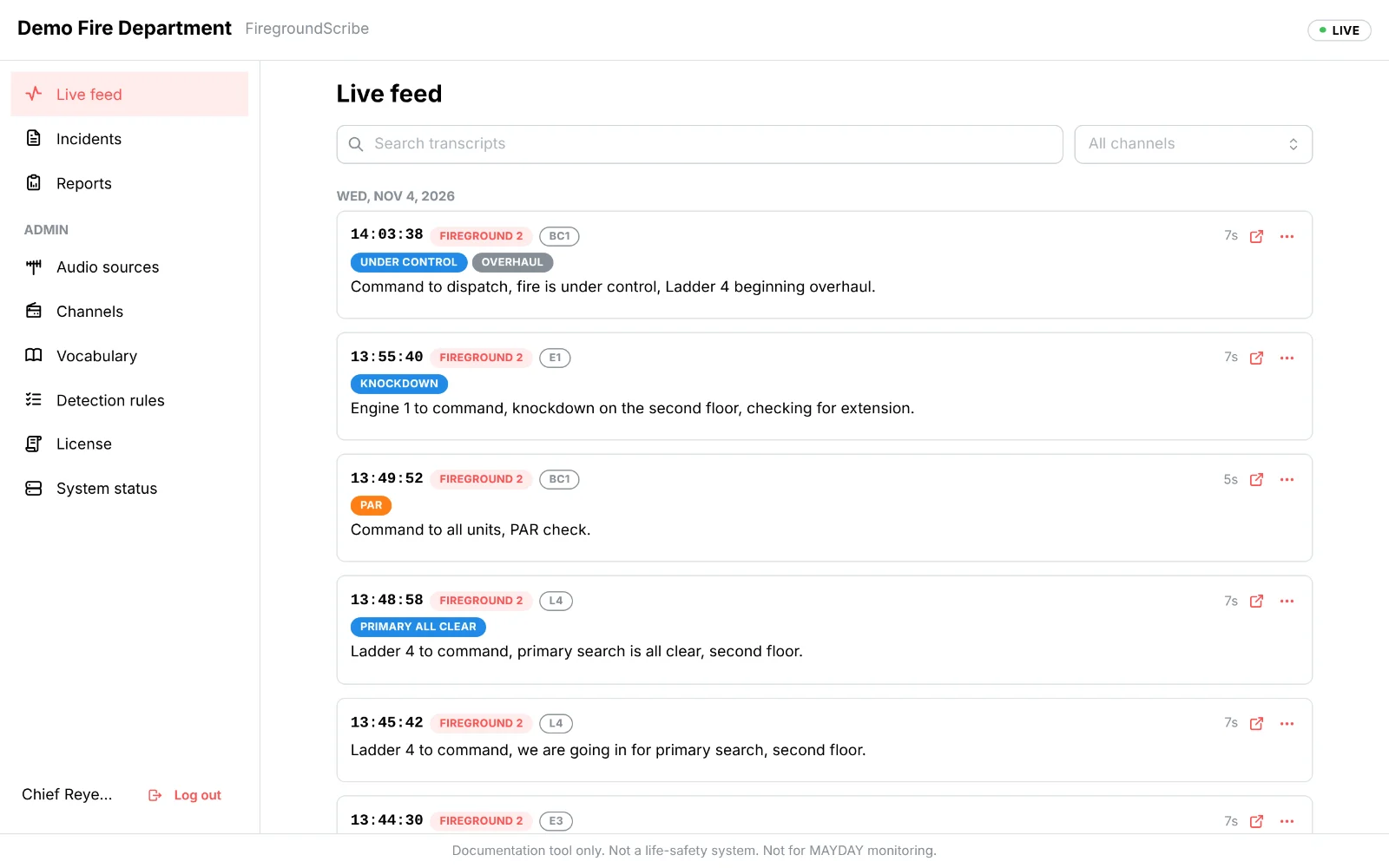
- 19 event types detected: dispatch, on scene, initial report and 360, command, water on the fire, knockdown, primary and secondary all clear, PAR, MAYDAY, emergency traffic, evacuate, RIT, under control and more, with rules you can edit.
- Incidents grouped automatically; merge and split by hand.
- Units on each incident, with when each was first and last heard.
- Bookmarks and notes on the timeline, and a review queue of what's left to check.
- Benchmarks from first arrival: water on the fire, primary all clear, under control, and your own milestones.
- An end-of-call summary written automatically when the radio goes quiet.
- Officer review of every event: confirm, reject, correct the time, or add one that was missed.
- Optional AI size-up drafts a narrative from the transcripts. The AI engine is built in: nothing to install, and nothing leaves the building. Or use the hosted AI add-on.
- Live size-up: while an incident is still open, the AI size-up refreshes every few minutes when there's new traffic, for whoever follows it from the station.
- Review queue: confirm or reject everything waiting at once, take an incident out of the queue, or delete it, straight from the list.
- Search by unit (E1 finds Engine 1, said on the air or from the radio), by date, or for emergency-button presses and MAYDAYs only.
Training replay
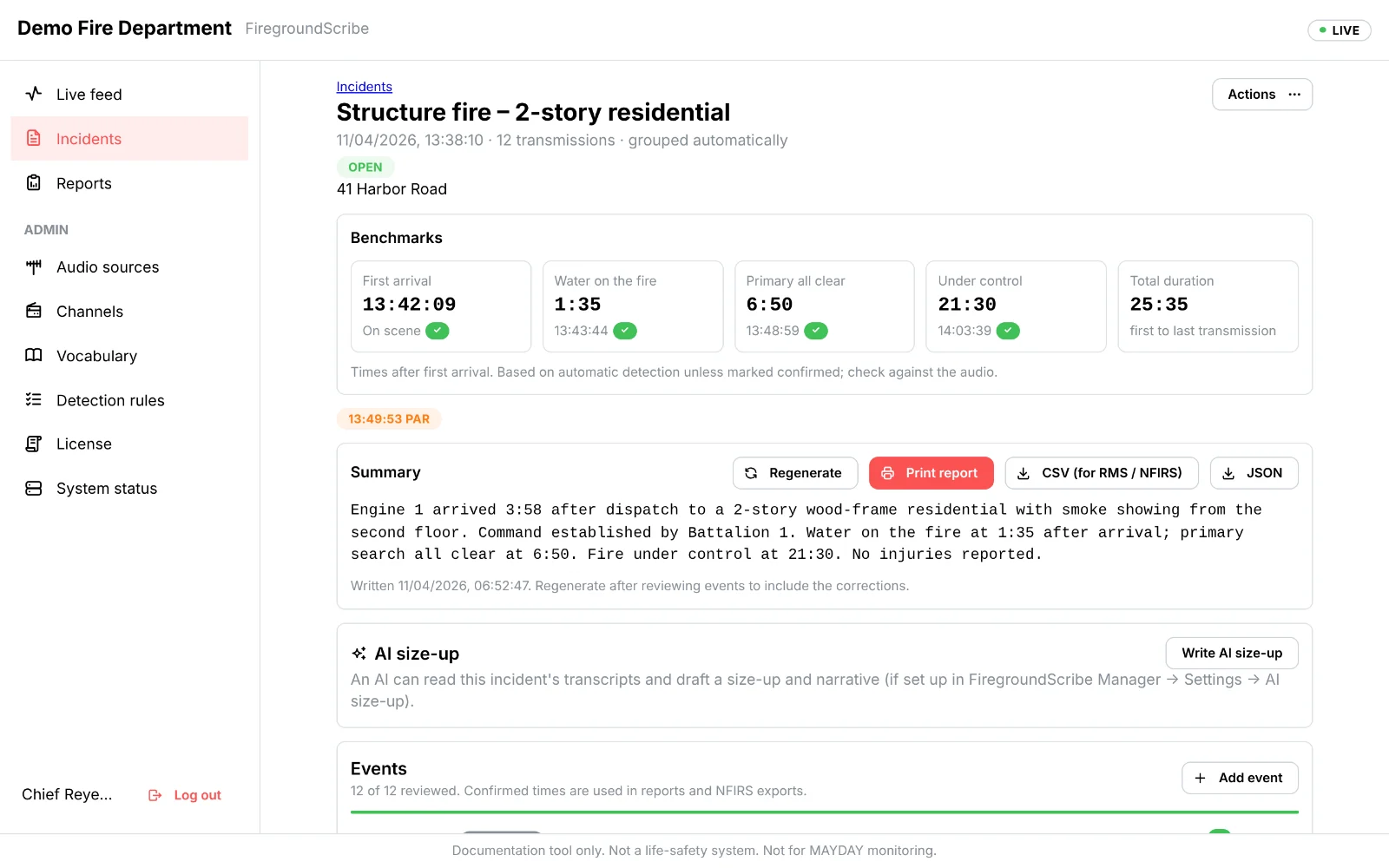
- Play any incident back as it happened: the clock runs, and transcripts, events and notes appear at their time.
- Pause, play at 1.5× or 2×, skip the silences, jump to any moment, and add instructor notes for the class.
- For company training, officer development and after-action reviews.
Reports and integration
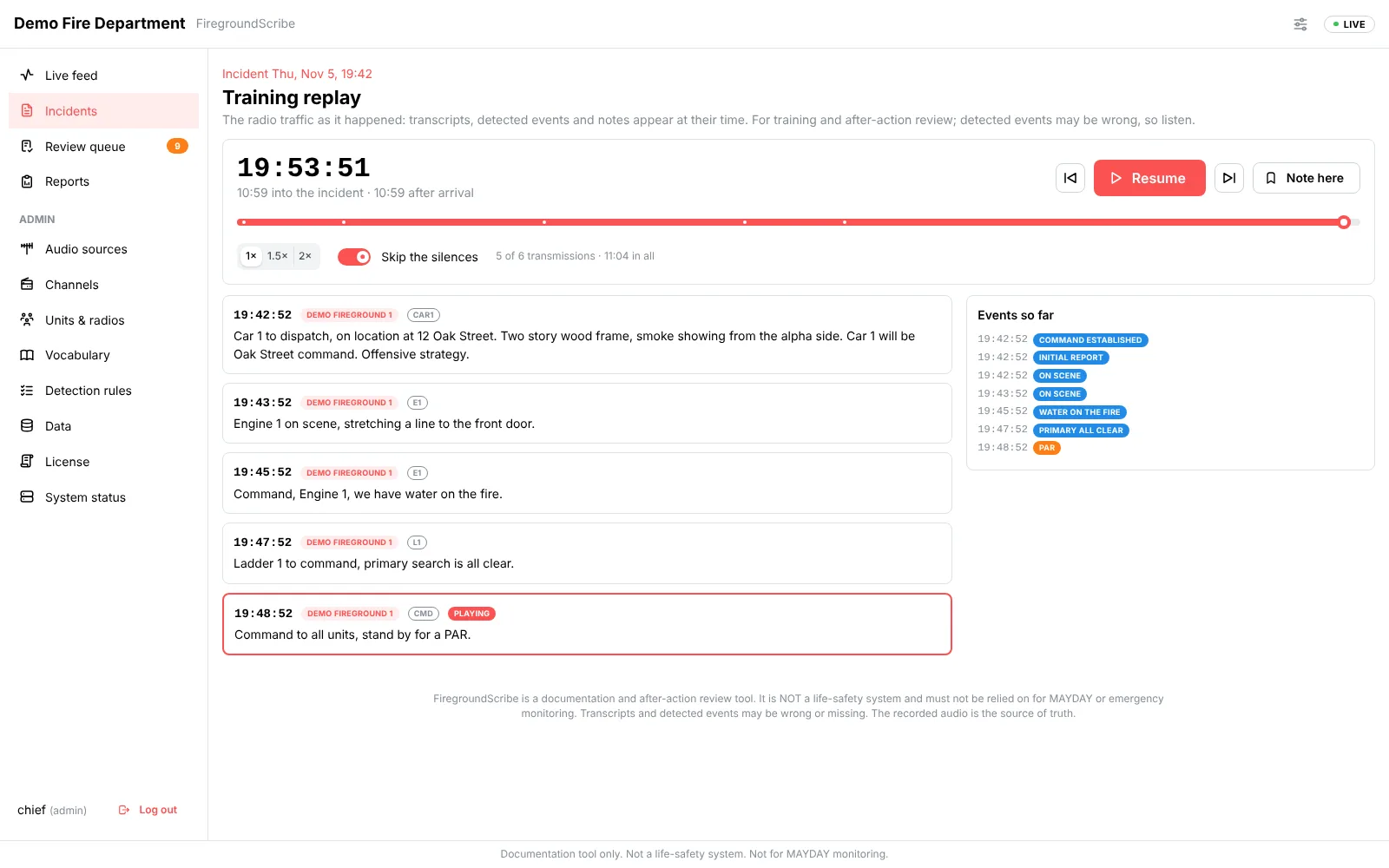
- Incident exports in CSV and JSON, with NFIRS and NERIS times.
- Performance trends (add-on): median and 90th-percentile times by month and by incident type.
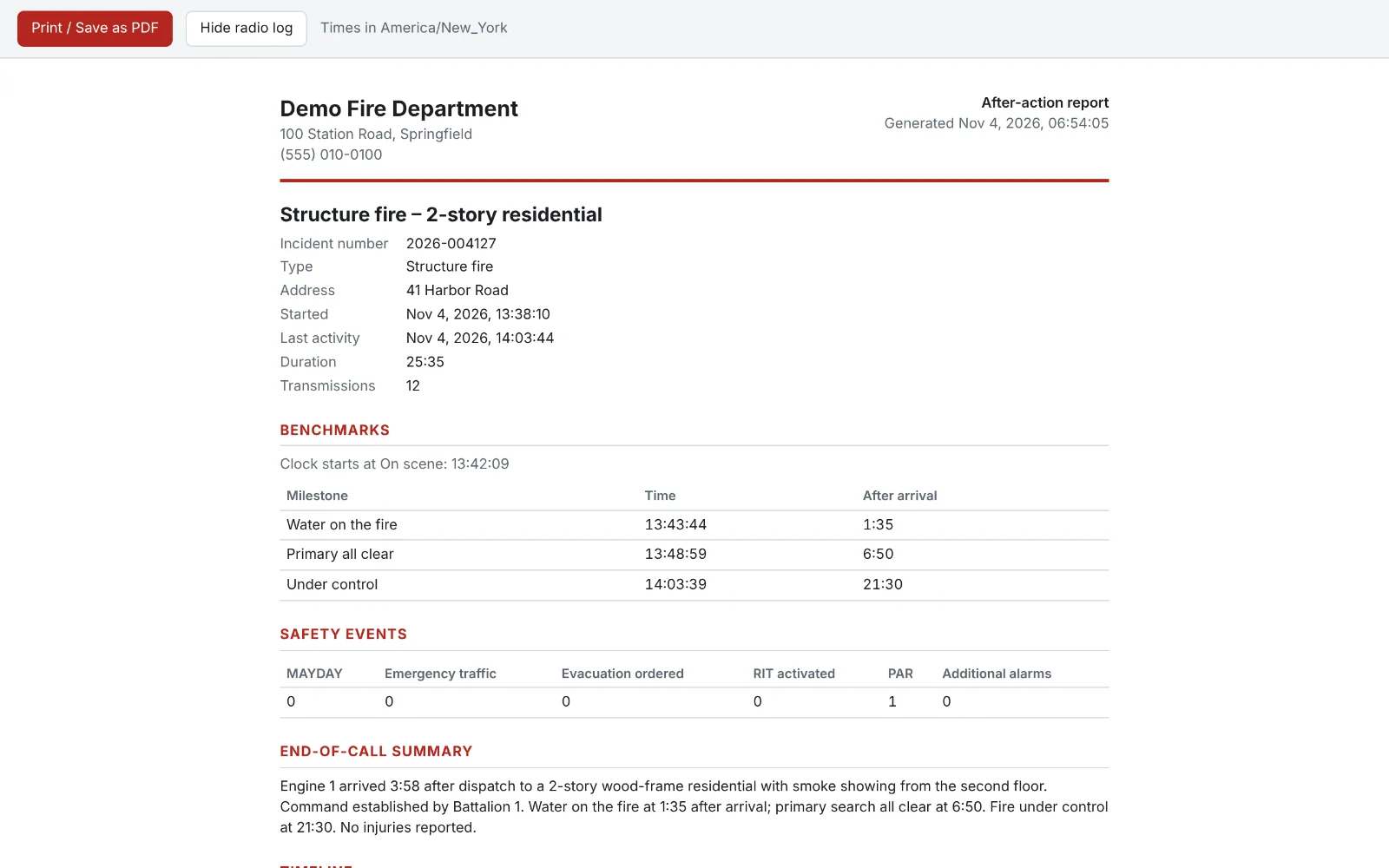
- After-action reports (add-on): a printable report on your letterhead, saved as a PDF.
- Read-only API keys and database views for your RMS, Excel or Power BI.
- A full audit log of every change, sealed against tampering.
Records, review and integration
- Flag a major incident for post-incident review: it's kept from retention and deletion, and admins download it as one package (report, every recording, transcript, events, audit trail).
- A complete activity log export: every transmission, event, review and user action.
- Records systems receive each closed incident as an NFIRS-mapped record by signed webhook, or pull them with an API key.
- Annual performance report (add-on) for accreditation, ISO reviews and council.
- Nightly exports (add-on) of incidents, NFIRS records and the activity log to a folder, network share or SFTP server.
- Targets met (add-on): how often water on the fire, primary all clear and your own milestones hit their targets, and whether PARs came on time.
- Monthly chief's report (add-on), printable and emailed every month.
- Shift summary email (add-on) at shift change.
Evidence & legal (add-on)
- Case folders for claims, investigations, lawsuits and records requests.
- Legal hold: nothing in a case can be deleted, by retention or by hand.
- Evidence packages: every recording and record with its SHA-256, a manifest signed with your install's key, and the chain of custody. Anyone can check it with standard tools.
- Secure share links for attorneys and investigators: they expire, can be limited and revoked, and every view is logged.
- Watermarks on everything you export or share.
- A log of who viewed each incident and played each recording.
- Signed retention certificates: proof of what was destroyed, when and why.
Public records requests (add-on)
- FOIA, OPRA and other public records requests, with due dates in business days.
- Redaction: blank the words and silence the matching audio in what you release, with the reason. The original recording is never changed. Off unless you turn it on.
- Release by share link or package, and print the response letter.
Reliability (add-on)
- Instant recall: hear the last minutes of any live source, including traffic too quiet or short to be recorded, and keep it as a transmission.
- A standby PC that starts recording if the station PC stops, then sends it everything it recorded.
Administration
- FiregroundScribe Manager on the server PC: status, users, settings, backups, logs and updates.
- Automatic updates, installed only when the radio is quiet.
- Admin, officer and viewer roles, with extra permissions per person; EMS details hidden from those who shouldn't see them.
- Single sign-on with Microsoft 365 or Google Workspace.
- Data retention you configure, longer or shorter by incident type or flag reason.
- Tamper-evident audit log: every entry sealed, with a one-click integrity check.
- Storage planner: how long until the disk is full.
- Secure remote access through Cloudflare Tunnel, without opening router ports.
- Nightly cloud backup and remote support, when you want them (add-ons).
- Small updates: when only FiregroundScribe changes, the PC downloads about 10 MB, and goes back to the previous version by itself if the new one doesn't start.
- Customer portal: your licenses, billing and invoices, support conversations with us, and your team's logins. Billing is also in FiregroundScribe Manager.
- Switch off any add-on you don't use; switch it back on any time.
- Proactive monitoring (add-on): your provider is alerted, and so are you, if a source stops, the audio goes silent, the disk fills up or the PC stops reporting.
- County view (add-on): agencies that opt in share incident summaries (never audio, transcripts or EMS traffic), and a county coordinator sees active incidents and benchmarks across departments on one page.
FiregroundScribe is a documentation tool. It is not a life-safety system: alerts are advisory, and it must never be relied on for MAYDAY monitoring.